dpa-SportsLive has a modular structure: Whether tables, results, or live tickers, there is a dedicated widget for all different result types and content. All widgets can be quickly embedded as graphical elements in web articles or used as a landing page for the event. They are ideally suited as teaser elements on the homepage, linking from there to special sports pages.
The widgets are customizable in terms of shape, color, and font. The widgets are optimized for both desktop websites and mobile devices and can be integrated into apps.
Important: The CSS files of the old widgets can no longer be used. We will be happy to support you with the adjustments.
TABLE OF CONTENTS
- The Setup Page
- Language Selection
- Widget Selection
- Integration
- Settings
- Read.me: Integration and Customization
- Data Protection
- Contact
The Setup Page
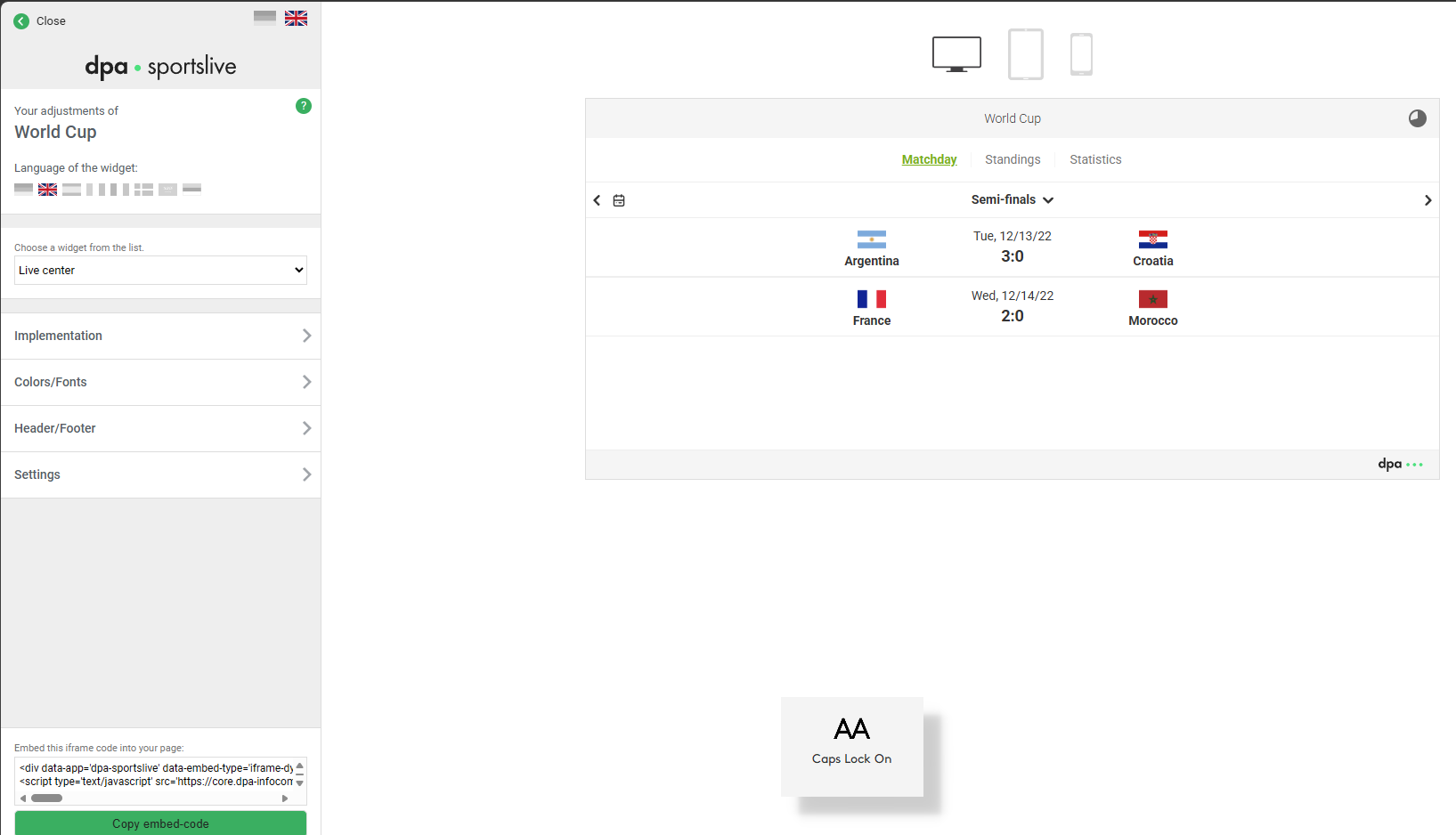
The configuration of the widgets is done via a setup page, which you access after placing an order in the dpa Shop or which you receive from us.
There you can make various settings and then generate your own embed code. You then integrate this code into an article or page in your CMS and publish it. The graphic widget will then be displayed on your website.
Please note that some setting options are not available for all products.
Language Selection
Use the flag symbols to select the language. With the two flags at the top, you can set the language of the setup page itself (German or English).
If a widget is offered in several languages, you will find the corresponding flags further down, which allow you to set the widget language.
Widget Selection
Depending on the product line (SportsLive, ElectionsLive, Web Graphic, Web Gallery, etc.), the setup page first includes a selection option (dropdown) for each widget. Select the widget you want to configure..
Integration
Then select the type of integration. Depending on the product, you have up to four options to choose from:
- iframe with automatic height adjustment (standard): Here, the height of the iFrame is automatically adjusted to the height of its content via the dpa.js script. After integrating it into your website, you do not need to do anything else.
Please switch on the Require option if you use the require.js JavaScript library on your website, and also enter the name of your require instance. - iframe with fixed height: If your CMS does not allow the integration of scripts or if you cannot or do not want to embed external scripts, a simple iFrame is provided here.
- URL without embed code: If your CMS already creates iFrames for external content, you will receive the plain link to the widget here.
Settings
Width
By default, our widgets are displayed with a width of 100% so they can respond responsively to different end devices. However, you can also specify a different width here. Percentage and pixel values are possible: 80% | 350px
Automatic Refresh
For products with live data, such as ElectionsLive or SportsLive, you can define the interval for automatic refresh. Depending on the product, an interval between 30 and 60 seconds is preset.
Widgets with Test Data
In the dpa Shop, SportsLive always shows all available widgets in the preview with test data or data from the last season or the last event. With ElectionsLive, you have the option of displaying test data by checking the box “Show widgets with test data” on the setup page under “Settings.” Feel free to contact us if you need additional data for testing.
Deep Links - Livecenter
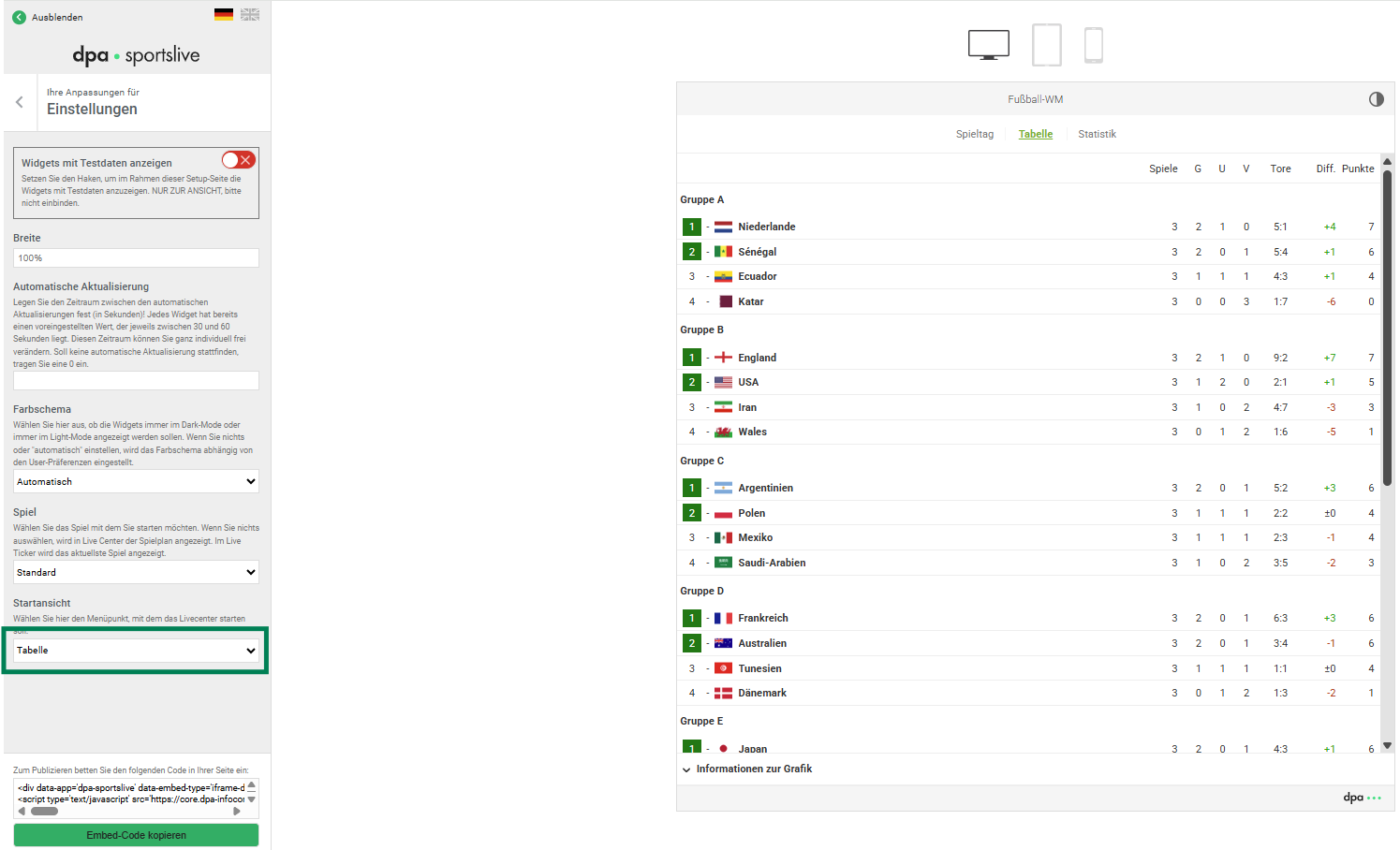
Using the settings, you define whether you want to start automatically with the preset view or with a specific match or team.
- auto (preset): In team sports such as football, the Livecenter always starts with "LIVE" and thus with the current matches.
- Under "Settings," other main navigation items can also be selected here. This also applies to events such as the Olympics.Über die "Einstellungen" können hier auch andere Hauptnavigationspunkte ausgewählt werden. Dieses gilt auch für Events wie Olympia.
Example main navigation items (Livecenter):
Configuration - Widgets
The widgets can be specifically configured to your needs and thus integrated into your editorial coverage, perfectly complementing it.
- In team competitions such as football, the widgets can, for example, start with a specific team and therefore always with the current match of that selected team.
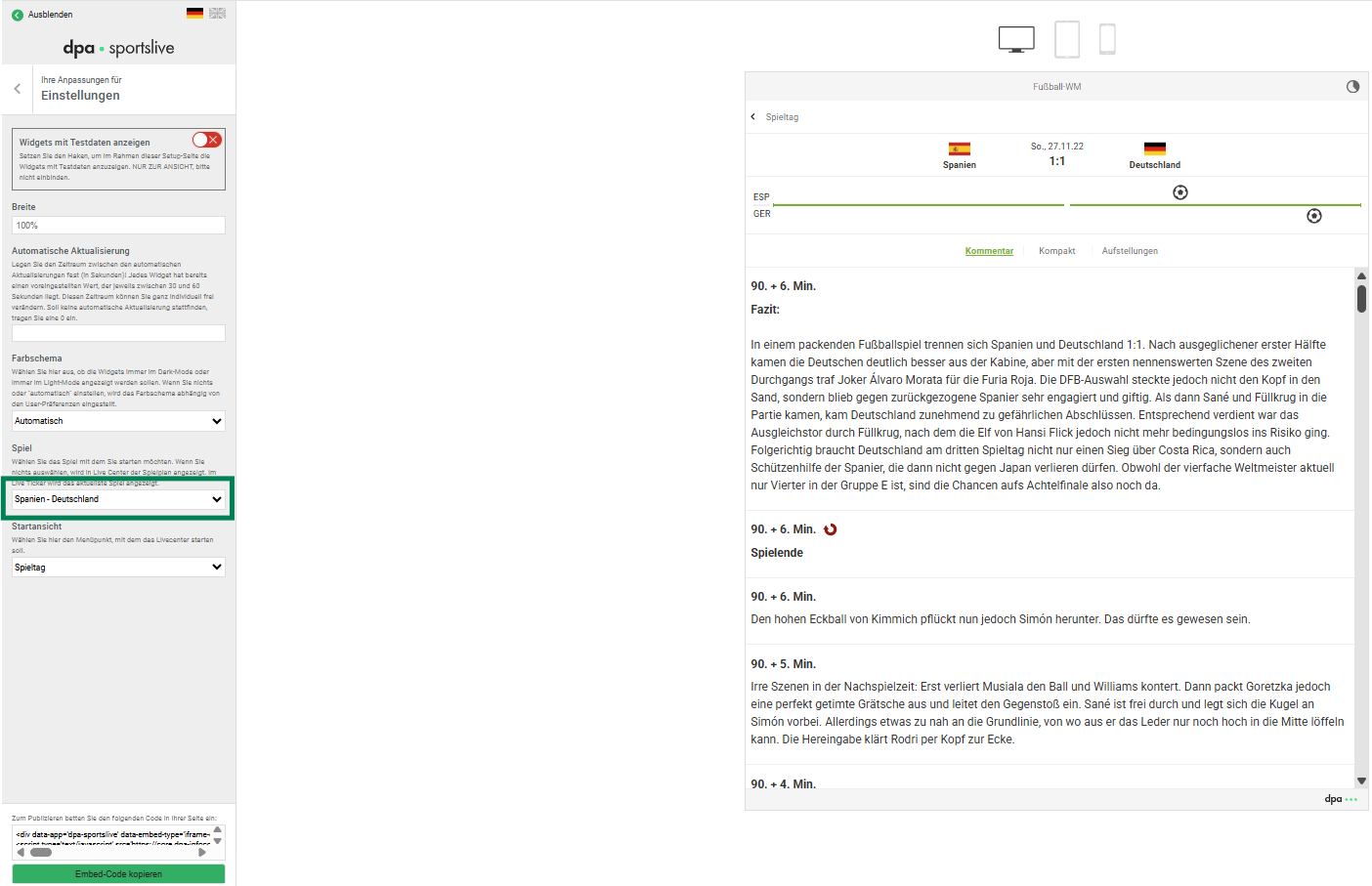
- You can also configure a specific match here, which then updates live and, due to the configuration, remains available in this form for follow-up reporting.
Example selection of a match:
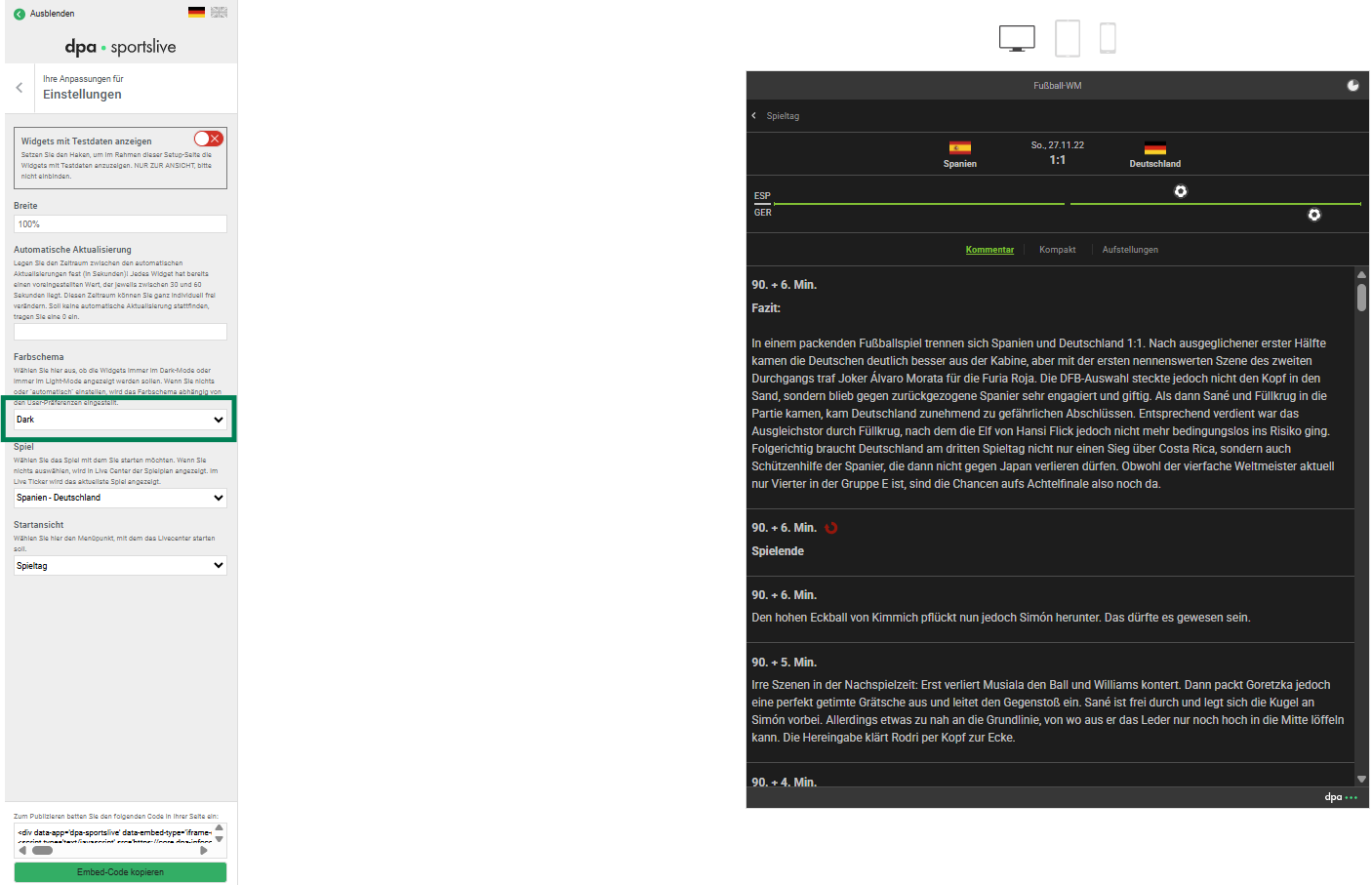
Configuration - Color Scheme
The widgets are preset to automatic in terms of color scheme. However, you can also directly select a specific color scheme such as dark mode.
Read.me: Integration and Customization
- Please note our updated ReadMe document on integrating, customizing, and using the widgets: ReadMe
Data Protection
- A description of the data processing procedures for customers of various dpa-infocom GmbH content products can be found HERE.
- Information on data protection for our customers’ users can be found HERE.
Contact
You can reach us Monday to Friday between 09:00 and 17:00 via our Service Desk:
- E-Mail: service@dpa-info.com
- Telefon: +49 40-4113 31000
- During live matches, we can be reached at: sportslive@dpa.com